

Zap CRM: a CRM you own, not rent
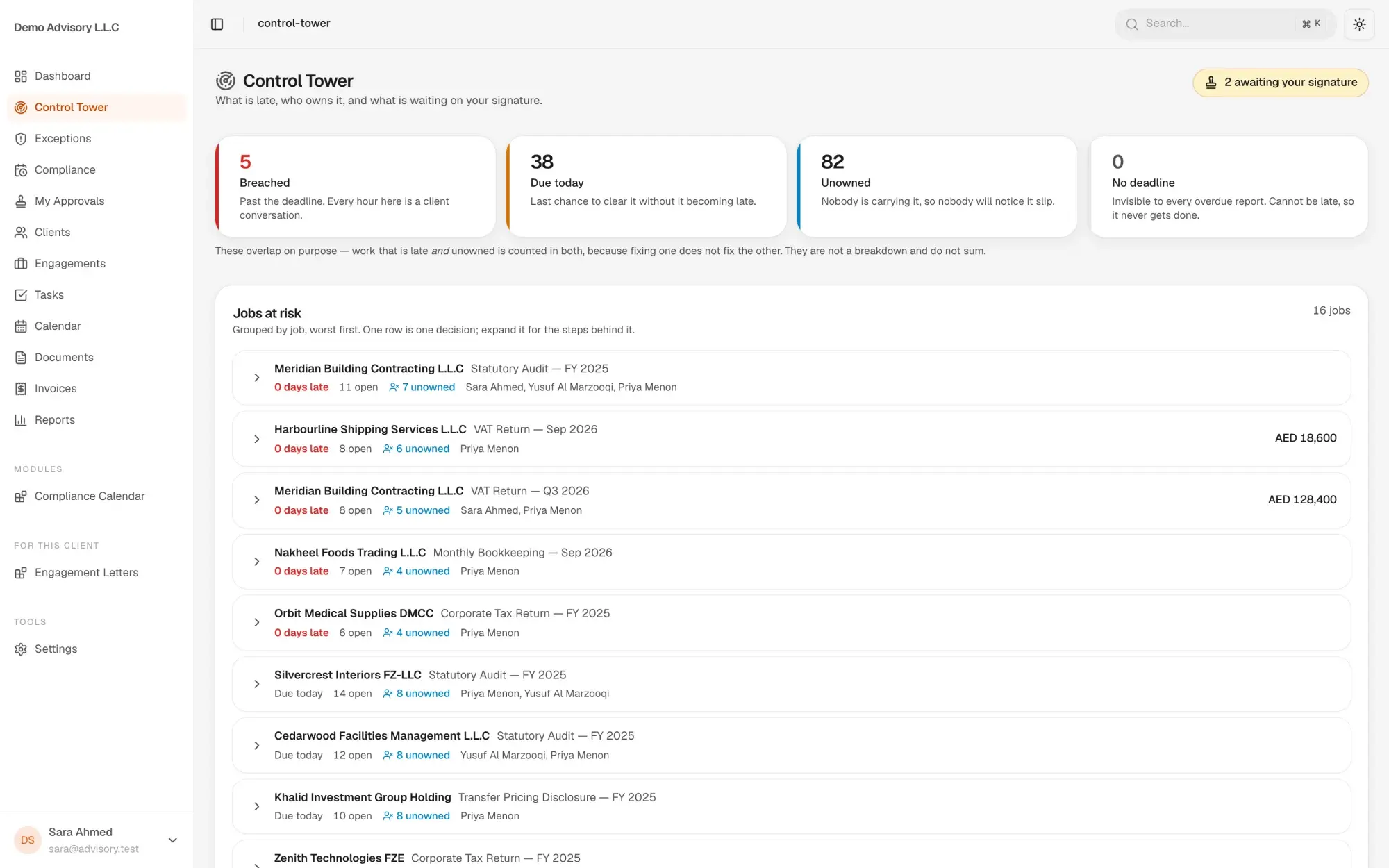
Zap CRM is a private CRM and workflow platform for service businesses, built in Dubai. Each client gets its own instance on its own server, database and domain, built on one maintained kernel, with workflows as configuration, owners and deadlines on every stage, sign-off gates and reports your team defines without SQL.
Built for teams like yours
- Practices and service firmsWork that runs to a deadline through preparation, review and sign-off, such as tax, audit and bookkeeping engagements.
- Owners who want their data at homeA CRM on their own server and domain, with their own database, instead of a seat in someone else's shared system.
- Operations managersStages with an owner and a deadline, reminders and escalations that run on time, and work that cannot close while a sign-off is missing.
What Zap CRM does
Your own instance
Each client company runs on its own server, database and domain. Every instance is built on the same maintained kernel, so you get updates without a fork of your own to look after.
Workflows as configuration
Processes are workflow templates seeded for your firm, not custom code. Changes climb a ladder: configuration first, then a feature switch, then a client extension, then an improvement to the module.
Deadlines, owners and sign-offs
Every workflow stage carries an owner, a deadline and an approval gate. Reminder and escalation ladders run on schedule, and an engagement cannot be marked complete while a sign-off is unsigned.
Automation and custom fields
Rules run on event, condition and action, with least-load assignment. Add your own fields from the admin screens, without a database change.
Reports without SQL
Reports are written as validated configuration and saved as views. The dashboard reads live figures with trends and charts. Record visibility follows mine, my branch or everything.
Industry modules
Industries plug in as modules. The first is a UAE tax, audit and bookkeeping module, added with no change to the shared database schema.
Where the AI is, and where it is not
What the AI does
- An orchestration layer connects your instance to the model provider you choose, through one interface.
- Reports are defined as validated configuration rather than SQL, which makes reports drafted by AI safe to run.
What stays with rules or your team
- Tenant scope and permissions are applied by the reporting engine, never taken from the report or the AI.
- Workflow stages, deadlines and sign-offs follow your templates and your people.
- Automation rules run on conditions you set.
Built for the UAE, and for your stack
UAE compliance
- Own server, database and domain per client
- Row-level security on client data
- Documents served only through an authenticated, permission-checked route
- Record visibility by owner, branch or whole firm
Connects to
- WhatsApp Business messaging
- Payments
- AI model provider of your choice
What is Zap CRM?
Zap CRM is a CRM and workflow platform for service businesses, sold as your own instance rather than a shared subscription. Each client runs on its own server, database and domain, built on one kernel that EliteStack maintains. It covers clients, engagements, tasks, calendar, documents, invoices, workflows, automation and reports.
Why own a CRM instead of renting one?
Your data sits on your own server and database, under your own domain, with no other company in it. Because every instance runs on the same kernel, you still get fixes and improvements, and your changes go into configuration and modules instead of a private fork that falls behind.
Can it handle deadline-driven work?
Yes, that is its centre of gravity. Each workflow stage has an owner, a deadline and an approval gate, reminders and escalations run on schedule, and an engagement cannot be marked complete while any sign-off is missing. It sits closer to practice management than to a sales-only CRM.
Where is the AI in Zap CRM?
An orchestration layer connects your instance to the model provider you choose through one interface. Reports are defined as validated configuration rather than SQL, and the engine applies tenant scope and permissions itself, which is what makes reports drafted by AI safe to run.
How is it customised for our firm?
In order: configuration, then a feature switch, then a client extension that can add screens, hooks and custom fields, then an improvement to the module itself. A separate copy of the code for one client is never an option, so your instance keeps receiving kernel updates.
Related
Solutions it runs
Other products
Start with one job
Opens an email to info@elitestack.ae with your sentence in it. Or WhatsApp us on +971 56 121 1011.